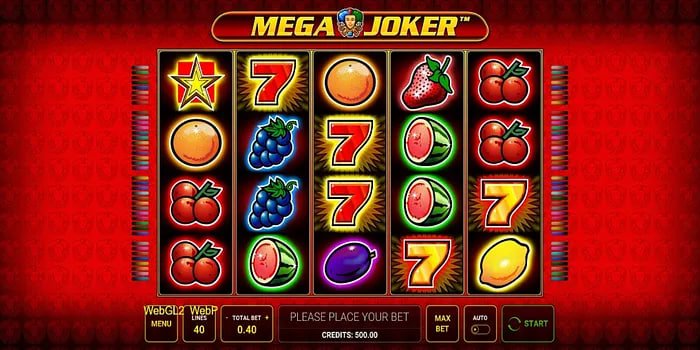
The official eu9 mobile app turns your smartphone into a full gaming platform. Enjoy live betting, slots, and Live Casino anytime, anywhere.
Download the eu9 app for your device and get started in no time.
The eu9 Android app is available as a direct APK download. It runs smoothly on Android 6.0 and above. To install, enable "Unknown Sources" in your device settings.
The eu9 iOS app works great on both iPhone and iPad. Installation instructions are available via the App Store or directly from the eu9 website.
The eu9 website is fully mobile-friendly, but downloading the app gives you a lot more. Built with Bangladeshi users in mind, the app delivers a much smoother experience — from the interface to overall performance.
The eu9 app sends push notifications so you never miss a new promotion, live match, or special offer. Logging in is also faster, and biometric lock support adds an extra layer of security.
For live streaming and real-time odds updates, the eu9 app is significantly faster than a browser. It also runs well on slow internet connections, as it consumes less data.
Place bets on real-time odds while the match is live. cricket, football, and much more.
Slots, Live Casino, table games, and more — all playable directly from the app.
Get instant updates on new offers, promotions, and live matches.
BKash, Nagad, Rocket — deposit in seconds, right from the app.
Log in quickly and securely using your fingerprint or Face ID.
All transactions and personal data in the eu9 app are fully encrypted.
Enable Dark Mode on the eu9 app for a more comfortable viewing experience when playing at night.
The eu9 app runs smoothly even on a weak connection and uses minimal data.
Get customer support in Bengali via live chat, right inside the app.
Install the eu9 Android app in just a few simple steps.
Go to the eu9 registration page and create your account. If you already have one, just log in.
On your phone, go to Settings > Security and enable Unknown Sources. This is required to install the APK.
Download the Android APK file from the eu9 website. You'll get a notification once the download is complete.
Tap the downloaded APK file and hit Install. The eu9 app will be ready in seconds.
The easy way to get the eu9 app on iPhone and iPad.
Open Safari on your iPhone, go to eu9.ng, and log in.
Tap the Share icon at the bottom of Safari and scroll down to find "Add to Home Screen".
Tap "Add to Home Screen" and keep the name eu9, then tap "Add".
Now tap the eu9 icon on your home screen and enjoy a full-screen experience just like a native app.
| Description | Android | IOS |
|---|---|---|
| Operating System | Android 6.0 (Marshmallow) or above | IOS 13.0 or above |
| RAM | Minimum 2 GB | Minimum 2 GB |
| Storage | 50 MB free space | 60 MB free space |
| Internet | 3G/4G or WiFi | 3G/4G or WiFi |
| Processor | Quad-core 1.4 GHz or above | A9 chip or above |
| Device | All Android smartphones and tablets | IPhone 6s+, iPad Air 2+ |
Smartphone usage in Bangladesh keeps growing, and so does the demand for mobile gaming and betting. eu9 has developed a lightweight, fast app that runs smoothly even on mid-range devices.
The eu9 app has full support for the Bengali language. Menus, instructions, and payment options are all available in Bengali, making it easy for users who aren't comfortable with English to navigate the app with no trouble.
The eu9 app supports direct payments via bKash, Nagad, and Rocket. Both deposits and withdrawals can be done in just a few taps, with every transaction secured by SSL encryption.
Another major advantage of the eu9 app is that it's updated regularly. New games and promotions are available as soon as you update. The eu9 team is always working to improve app performance.
Download NowSign up, download the eu9 app, and enjoy a 100% welcome bonus on your first deposit.